

- XF Compatibility
- 2.2.x
- Short Description
- DragonByte eCommerce is a highly advanced digital retailer for XenForo with features like multiple pricing tiers, coupons, and automatic sales. Fully integrated with XenForo 2's Payment Profile system, it supports various payment processors and VAT. Features include customizable products, order fields, highlighted pricing tiers, automatic invoicing, discounts, user-friendly orders, license expiry reminders, recurring sales, easy renewals, permissions management, and flexible payment profiles.
DragonByte eCommerce is a highly advanced digital retailer for XenForo, containing features like multiple pricing tiers, coupons and automatic sales. Fully integrated with XenForo 2, DragonByte eCommerce leverages all built-in functionality such as the new Payment Profile system to accept payments from various processors. Uses
DragonByte eCommerce is the most advanced eCommerce solution fully integrated into your XenForo forum. You can create virtually unlimited products for sale, including digital products with multiple pricing tiers for different license lengths and add-on products for optional extras like Branding Free keys. Collect information about product installations via license fields that can be made required before download is allowed. Any changes to the license fields will be meticulously logged, and a snapshot of the license fields at the time of download will appear in the log entry when a customer downloads a product. Downloads can be added as external URLs, attachments, or auto-generated from a folder on your server. No matter how you choose to store your downloads, you'll find the option you're looking for. Sales can be subject to sales tax depending on the country of origin of the purchaser. VAT is fully supported and automatically kept up-to-date, so you never have to manually update VAT rates. Customers can enter their registered VAT ID to be exempt from sales tax if applicable.
Feature List
Powerful Products: Your products can have prefixes, tags, a category, product filters to help narrow down a customer's search, requirements, descriptions, and product fields.
Product fields can be used to display other product information in certain areas, so you aren't limited by the input fields provided by default.
Order fields can be used to request information from customers during checkout, such as if you're selling a service and require access to their server.
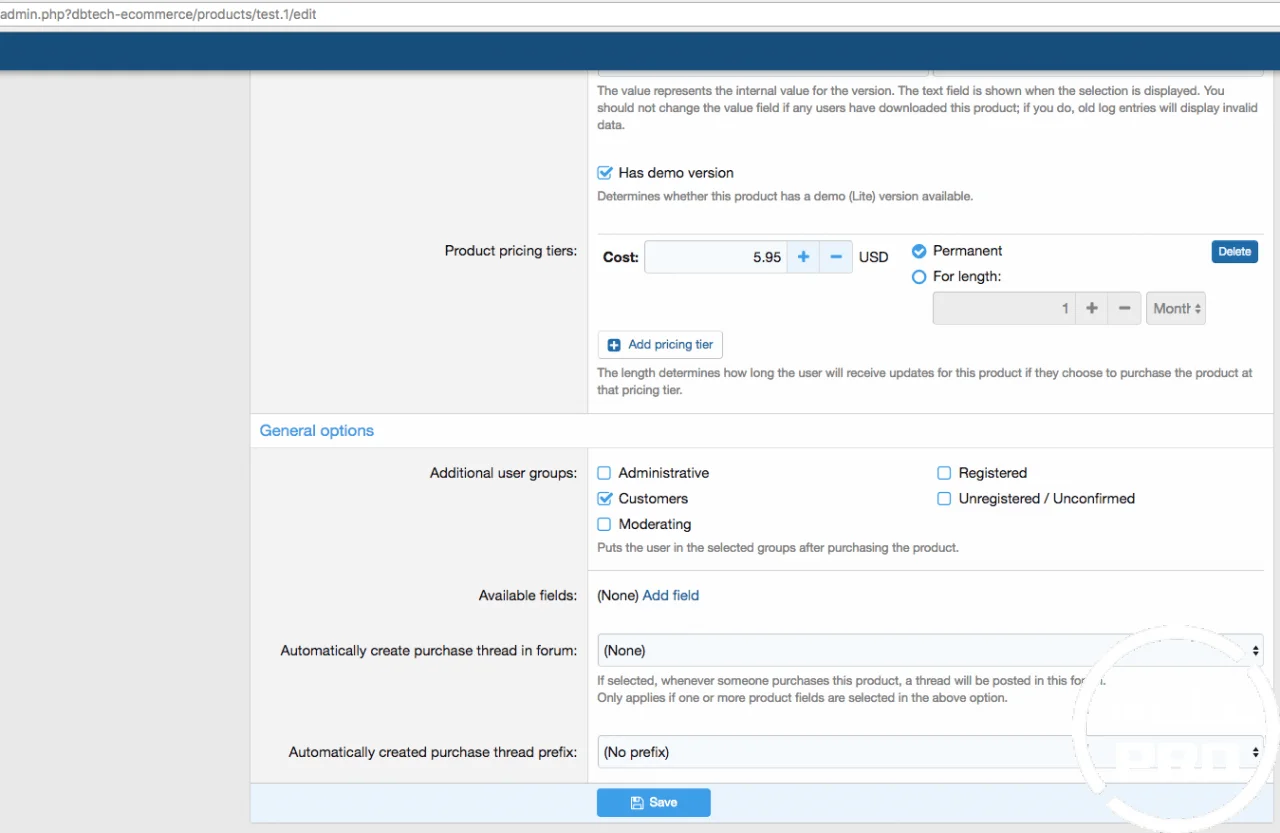
Highlighted Pricing Tier: To attract customers towards a specific pricing tier, one pricing tier per product can be highlighted in the purchase overlay with a "Most value!" label.
Automatic Invoicing: When users make purchases, addresses are filled out which is then used to generate an invoice
Automatic Discounts: Set up thresholds to create bulk purchase discounts without needing manual interaction. Never have to deal with bulk purchase queries again!
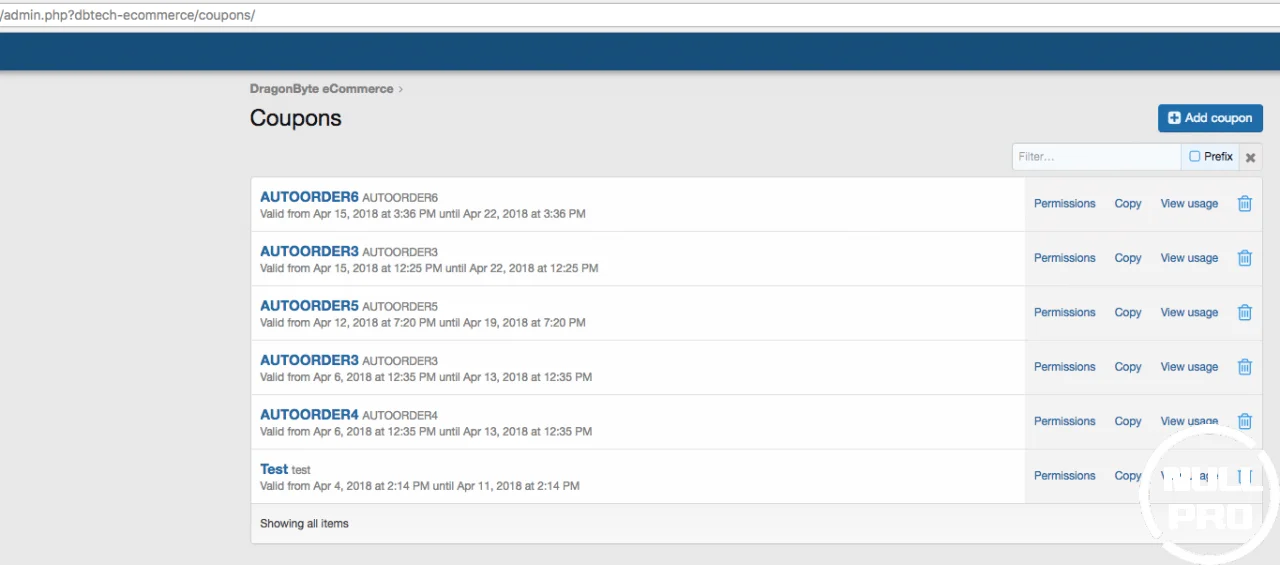
Coupons & Sales: Set up coupons that customers can receive manually, or set up a sale that automatically applies discounts to selected products (and displays a "Sale" banner on the product list), as well as optionally emailing users when sales start.
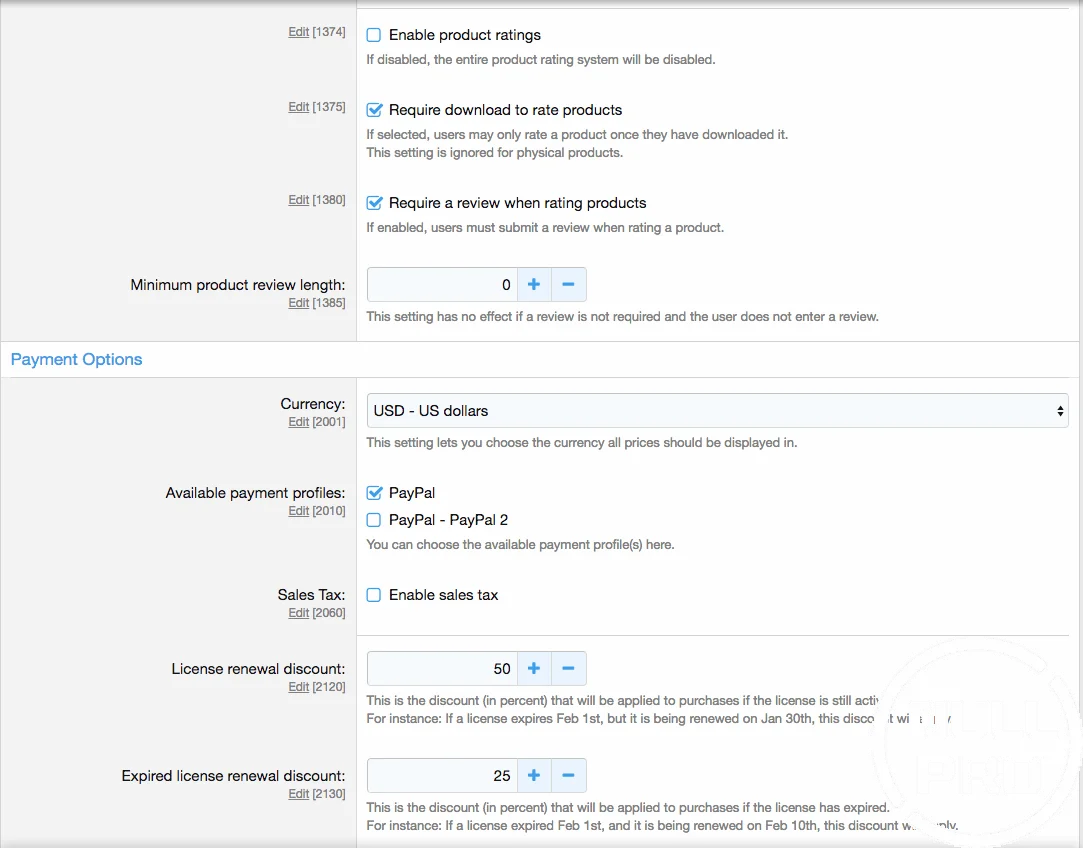
Sales Tax: Customers can be charged sales tax based on their location with complete control over which countries get charged which tax rates. Optionally, VAT support can be enabled, meaning that the countries subject to VAT will have their sales tax rates kept up-to-date automatically.
User-friendly Orders: If an order is not completed, users will be able to retry payment via their account page
License Expiry Reminders: Customers who purchase digital products will receive email reminders when their license is about to expire, as well as alerts on the forum and another alert when their license has expired. Renewal costs can be calculated automatically or set per pricing tier.
Recurring sales: You can configure sales to recur at certain time intervals or using custom date ranges
Easy License Renewals: If users have any expired licenses, they will see a "Renew Licenses" button on top of their license list. Clicking that button opens an overlay where they can easily renew expiring or expired licenses.s permissions system, offering fine-grained access control. For instance, custom work delivered to your clients can be set up to only be accessible by the developer and the client.
License Distributors: Grant certain users the ability to generate licenses via their account page, perfect for any
DragonByte eCommerce is the most advanced eCommerce solution fully integrated into your XenForo forum. You can create virtually unlimited products for sale, including digital products with multiple pricing tiers for different license lengths and add-on products for optional extras like Branding Free keys. Collect information about product installations via license fields that can be made required before download is allowed. Any changes to the license fields will be meticulously logged, and a snapshot of the license fields at the time of download will appear in the log entry when a customer downloads a product. Downloads can be added as external URLs, attachments, or auto-generated from a folder on your server. No matter how you choose to store your downloads, you'll find the option you're looking for. Sales can be subject to sales tax depending on the country of origin of the purchaser. VAT is fully supported and automatically kept up-to-date, so you never have to manually update VAT rates. Customers can enter their registered VAT ID to be exempt from sales tax if applicable.
Feature List
Powerful Products: Your products can have prefixes, tags, a category, product filters to help narrow down a customer's search, requirements, descriptions, and product fields.
Product fields can be used to display other product information in certain areas, so you aren't limited by the input fields provided by default.
Order fields can be used to request information from customers during checkout, such as if you're selling a service and require access to their server.
Highlighted Pricing Tier: To attract customers towards a specific pricing tier, one pricing tier per product can be highlighted in the purchase overlay with a "Most value!" label.
Automatic Invoicing: When users make purchases, addresses are filled out which is then used to generate an invoice
Automatic Discounts: Set up thresholds to create bulk purchase discounts without needing manual interaction. Never have to deal with bulk purchase queries again!
Coupons & Sales: Set up coupons that customers can receive manually, or set up a sale that automatically applies discounts to selected products (and displays a "Sale" banner on the product list), as well as optionally emailing users when sales start.
Sales Tax: Customers can be charged sales tax based on their location with complete control over which countries get charged which tax rates. Optionally, VAT support can be enabled, meaning that the countries subject to VAT will have their sales tax rates kept up-to-date automatically.
User-friendly Orders: If an order is not completed, users will be able to retry payment via their account page
License Expiry Reminders: Customers who purchase digital products will receive email reminders when their license is about to expire, as well as alerts on the forum and another alert when their license has expired. Renewal costs can be calculated automatically or set per pricing tier.
Recurring sales: You can configure sales to recur at certain time intervals or using custom date ranges
Easy License Renewals: If users have any expired licenses, they will see a "Renew Licenses" button on top of their license list. Clicking that button opens an overlay where they can easily renew expiring or expired licenses.s permissions system, offering fine-grained access control. For instance, custom work delivered to your clients can be set up to only be accessible by the developer and the client.
License Distributors: Grant certain users the ability to generate licenses via their account page, perfect for any
- []
- AdminCP Search[]* Alerts[]**
[Attachment[]* Change log[]*] CLI commands[]custom fields (products, orders, licenses)[]email stop system for opting out of emails[]"Find New" content handler[]Inline Moderation[] - Member Statistics[]*[Moderator Log[]* News Feed[]Payment Profiles[]Permissions[]Reporting[]*]Search engine (including Elasticsearch)[]*Sitemap[]Tagging[]*[Warning[]*]Widget


![[DBTech] DragonByte eCommerce: Tickets](/data/resource_icons/0/806.jpg?1720149240)
![[OzzModz] DragonByte eCommerce Product Form Options](/data/resource_icons/4/4517.jpg?1720149262)
![[XTR] DragonByte eCommerce Layouts](/data/resource_icons/12/12669.jpg?1720149301)