
![[AndyB] Export emails](/data/resource_icons/20/20382.jpg?1720149340)
- XF Compatibility
- 2.2.x
- 2.3.x
- Short Description
- Export emails in CSV format easily with iContact. Add exportemails to your URL for automatic downloads of member email addresses.
Export emails in CSV format.
This add-on is very useful if you use a service like iContact and want to send emails to all your members.
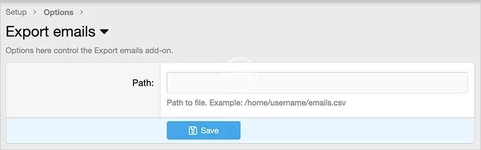
(Example of options page)
How to use:
Q: Are all my members email address added to the emails.csv file?
A: Yes all valid members.
This add-on is very useful if you use a service like iContact and want to send emails to all your members.
(Example of options page)
How to use:
- Using File manager or similar, create a file called emails.csv in your username directory.
- In Export emails options page, enter the Path.
- Add exportemails to your forum URL.
- Use File manager to download emails.csv to your computer.
Q: Are all my members email address added to the emails.csv file?
A: Yes all valid members.


![[AndyB] Export conversation](/data/resource_icons/7/7410.jpg?1720149273)
![[AndyB] Export direct message](/data/resource_icons/20/20112.jpg?1720149340)
![[AndyB] Export thread](/data/resource_icons/5/5601.jpg?1720149262)