
![[AndyB] Export direct message](/data/resource_icons/20/20112.jpg?1720149340)
- XF Compatibility
- 2.2.x
- 2.3.x
- Short Description
- Easily export all posts from direct messages with convenience. Click "Export Direct Message" button, then print as PDF using browser's print function. Set Registered user group permissions for control.
Allows exporting contents of a direct message.
(Example of Export direct message button)

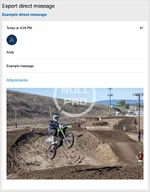
(Example of Export direct message page)
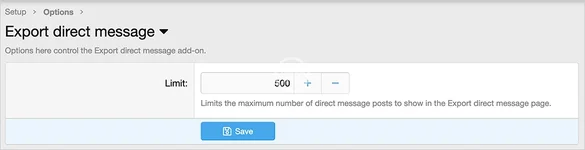
(Example of Options page)
(Example of User group permissions)

Features:
Typically you will set the Registered user group to Yes.
How to use:
(Example of Export direct message button)
(Example of Export direct message page)
(Example of Options page)
(Example of User group permissions)
Features:
- Easily view all posts in a direct message in a single page.
- All phrases start with exportdirectmessage_ for your convenience.
Typically you will set the Registered user group to Yes.
How to use:
- Go to the direct message you want to export.
- Click the Export direct message button above the first post.
- Use the browsers Print function to save page as a PDF.


![[AndyB] Auto delete direct messages](/data/resource_icons/20/20121.jpg?1720149340)
![[AndyB] Delete direct messages](/data/resource_icons/20/20120.jpg?1720149340)
![[AndyB] Direct message admin](/data/resource_icons/26/26049.jpg?1758076630)