- 2020/05/31
- 2,792
- 1,612
- $11,599
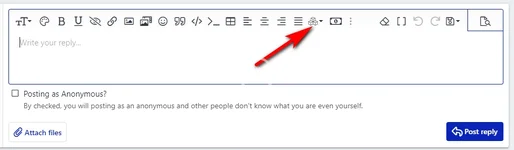
你首先可以得到正常的帮助教程https://www.nullpro.net/help/bb-codes/重要按钮:
注意:所有标签都不支持其他语言错误:
不工作
例子:
所有标签以成对出现错误:
不会工作。
例子:
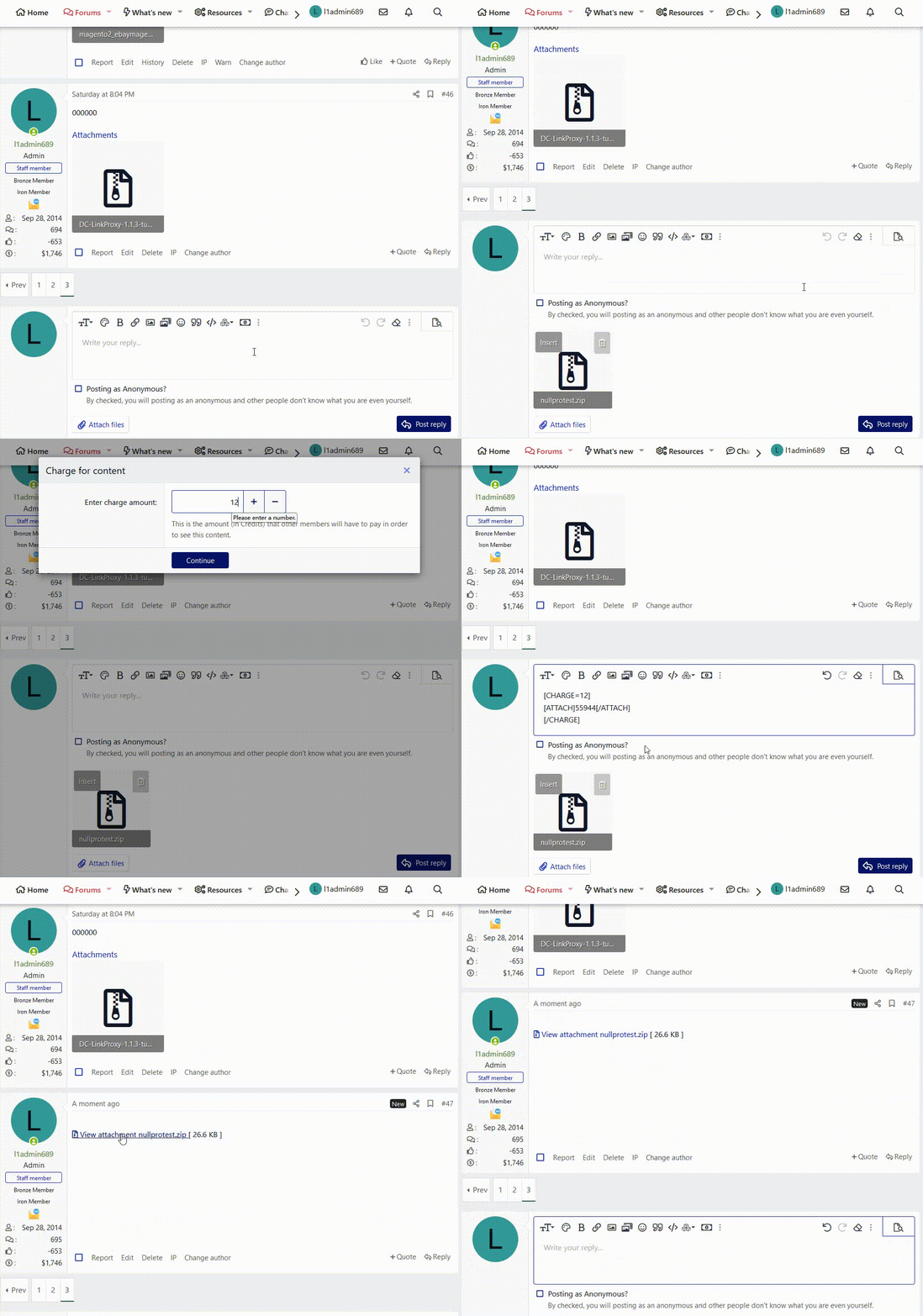
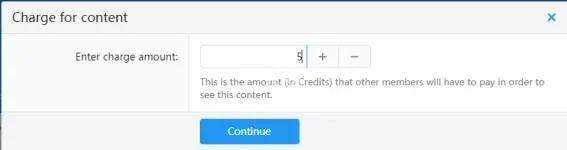
充电按钮

这是其他成员观看此内容所需支付的金额(以Credits表示)。
示 critical 指令:
1. 只输出翻译文本。不加引号,不加角度符号,不加格式括号。
2. 不添加注释、解释或 introductory 短语。
3. 不用<>、""或其他任何包裹符包裹输出内容。
4. 当适当的时候,保持 proper nouns(品牌名、产品名)的原样。
隐藏列表
例子:
例子:
例子:
例子:
例子:
例子:
多用户组
例子:
Reqeust customer was one of the user groups to view this
对于单用户组
例子:
Reqeust customer was one of the user groups to view this
多反应
例子:
单反应
例子:
例子:
例子:
例子:
例子:
例子:
对于单个客户
例子:
例子:
对于单个客户
例子:
例子:
对于单个客户
例子:
例子:
对于单个客户
例子:
例子:
现在你可以轻松使用并获得奖励,因为提交有趣的内容对 everyone 都有益!
注意:所有标签都不支持其他语言错误:
代码:
[ukryj] [/ukryj]
代码:
[/HIDE]
查看隐藏内容仅对注册用户开放!
代码:
[HIDE]All tags appear in pairs
代码:
[HIDE]All tags appear in pairs[/HIDE]
查看隐藏内容仅对注册用户开放!
这是其他成员观看此内容所需支付的金额(以Credits表示)。
代码:
[CHARGE=5]Evryone need cost 5 credit to see this content ,and submiter will earn 5 credits[/CHARGE]1. 只输出翻译文本。不加引号,不加角度符号,不加格式括号。
2. 不添加注释、解释或 introductory 短语。
3. 不用<>、""或其他任何包裹符包裹输出内容。
4. 当适当的时候,保持 proper nouns(品牌名、产品名)的原样。
隐藏列表
- []
- 仅注册使用
代码:
[HIDE]
Request registered users only
[/HIDE]
查看隐藏内容仅对注册用户开放!
- []帖子数量
代码:
[POSTS=6]
Request customer have 6 number of posts to view this
[/POSTS]- []数量的喜欢
代码:
[LIKES=5]
Request customer have  5 number of likes to view this
[/LIKES]- []*] 数天
代码:
[DAYS=120]
Request customer was register 120 number of days to view this
[/DAYS]- []数量的奖杯
代码:
[TROPHIES=10]
Request customer have 10 number of trophies to view this
[/TROPHIES]- []
- 为俱乐部成员
代码:
[CLUB]
Request customer was  club members to view this
[/CLUB]- []
- 用户组
现在,NP网站有用户组列表:
ID | User Group Name | |
| 1 | Not Member | Guest |
| 2 | Register Member | |
| 11 | Iron Member | |
| 5 | Bronze Member | |
| 6 | Sliver Member | |
| 7 | Gold Member | |
| 8 | Platinum Member | |
| 9 | Diamond Member | |
| 10 | Life Member | |
| 12 | Donate Member | Paid Upgrade |
| 14 | Original Author | content author |
| 4 | Moderating | Manager |
| 3 | Administravtive | BOSS |
| 13 | ban Member |
代码:
[GROUPS=1,2,3]
Reqeust customer was one of the user groups to view this
[/GROUPS]
您是以下用户组的成员之一:Not Member, Register Member, Administrative
Reqeust customer was one of the user groups to view this
代码:
[GROUPS=1]
Reqeust customer was one of the user groups to view this
[/GROUPS]
您是以下用户组的成员之一:Not Member
Reqeust customer was one of the user groups to view this
- []
- 由反应
ID | RECACTS | |
1 | 👍 | Like |
2 | 😍 | Love |
3 | 🤣 | Haha |
4 | 😳 | Wow |
5 | 🙁 | Sad |
6 | 😡 | Angry |
代码:
[REACTS=1,2,3]
Request customer was do like ,love and Haha  the reactions to view this
[/REACTS]
代码:
[REACTS=1]
Request customer was do like  the reactions to view this
[/REACTS]- []点击“喜欢”
代码:
[THANKS]
Reqeust customer was click like button to view this
[/THANKS]- []
- 回答了该主题
代码:
[REPLY]
Request customer was reply thread and then view this
[/REPLY]- []
- 回答或点击喜欢
代码:
[REPLYTHANKS]
Request customer was reply  thread or click like button  then view this
[/REPLYTHANKS]- []回答并点赞
代码:
[REPLYANDTHANKS]
Request customer was reply  thread and click like button  then view this
[/REPLYANDTHANKS]- []
- 用户
代码:
[USERS=newimage,anne,jessy]
only special user @newimage , @anne and @jessy can view this
[/USERS]
代码:
[USERS=newimage]
only special user @newimage can view this
[/USERS]
为以下用户隐藏的文本:newimage
- []用户按ID查询
代码:
[USERSID=1,6,7]
only special id 1 user @l1admin689 ,id   6  user @jessy and id 7 user @newimage can view this
[/USERSID]
代码:
[USERSID=1]
only special id 1 user  @l1admin689 can view this
[/USERSID]- []排除用户
代码:
[USERSEXC=newimage,jessy,anne]
exclude newimage,jessy,anne other customer can view this
[/USERSEXC]
代码:
[USERSEXC=newimage]
exclude newimage,other customer can view this
[/USERSEXC]- []排除用户 by id
代码:
[USERSID=1,6,7]
only special id 1 user @l1admin689 ,id   6  user @jessy and id 7 user @newimage can NOT view this
[/USERSID]
代码:
[USERSIDEXC=1]
only special id 1 user  @l1admin689 can NOT view this
[/USERSIDEXC]- []数量的资源
代码:
[RESOURCE=4]
Request customer have 4 resource to view this
[/RESOURCE]
上次编辑: