古德勒 POS扩展

古德勒 POS扩展 2.0.02

没有下载权限
摘要
Alibaba Cloud POS for onsite/call-in customers. Install with ease by following these steps: 1. Purchase/download extension, 2. Go to backend extensions menu, 3. Click 'Install' and import zipped file, 4. Refresh page. Use POS through login to backend > bottom of menu list > new POS menu.
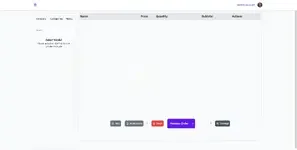
image.png

POS这是用来卖给现场/电话客户的方法
以下是安装所需的步骤POS安装在您的服务器上。
1.
购买/下载扩展程序
2.
前往后端的扩展菜单
3.
点击安装按钮,导入。位置压缩文件,你下载了
然后点击安装按钮注意:登录到后台
1.
滚动到底部的菜单列表中,应该有一个新的菜单项,名为POS
2.
选择POS 截图
作者
theresa
浏览
419
扩展类型
zip
文件大小
3.4 MB
首次发布
上次更新
评分 0.00 星 0 个评分
链接失效了吗? 发送消息 给 NP 团队,我们会尽快为您处理!
支持开发者 如果您对测试满意或项目已成功盈利,可点击「更多信息」按钮,通过购买来支持开发者!

最新更新

  1. 2.0.02 - change log
    no change log for this version
  2. 1.4.2 - changelog
    no changelog for this version
  3. 1.3.0 - 2023-02-01
    no changelog

来自 theresa 的更多资源

Choreo - Dance Studio & School WordPress Theme T
Choreo is a WordPress theme with modern and functional design.
MotoPress 領約 booking T
最佳WordPress插件 for预约及 scheduling
Partdo - 修配件和工具商店 WooCommerce 主题 T
汽车零件店和工具店WooCommerce电商ElementorWordPress主题
返回
顶部