

- XF Compatibility
- 2.2.x
- Short Description
- Get the latest version V2.2.10 of Shades of Grey . Download and Discuss the 7.7 KB File size with zip Extention type . From The Content have 4 Description Attachments, 2 discussion, 2 Updates, 618 Views on NullPro Community .
Shades of Grey
Appearance > Styles > Import > Child of style: (No Parent) > and then click "Import"
Example:

NOTE: If you would like to change the text accent color, simply go to:
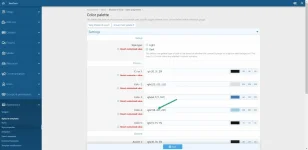
Admin CP > Appearance > Style Properties > Shades of Grey > Color Palette > Color 4
For example, a cream-colored accent would use "rgb(226, 226, 188).
If you liked the old (and discontinued) "Cream Accent" style, make these three simple changes:
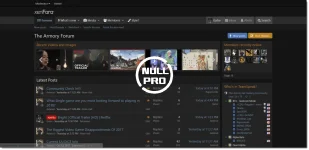
- A simple dark theme for XenForo 2
- No template edits ...only CSS additions
- The style has been exported as an "archive" so simply import the ".zip file" only
Appearance > Styles > Import > Child of style: (No Parent) > and then click "Import"
Example:
NOTE: If you would like to change the text accent color, simply go to:
Admin CP > Appearance > Style Properties > Shades of Grey > Color Palette > Color 4
For example, a cream-colored accent would use "rgb(226, 226, 188).
If you liked the old (and discontinued) "Cream Accent" style, make these three simple changes:
- Color 3: rgb(54, 100, 132) to rgb(54, 108, 54)
- Color 4: rgb(112, 171, 203) to rgb(226, 226, 188)
- Accent 2: rgb(163, 102, 41) to rgb(107, 173, 109)



![[AH] Discord Widget](https://cdn.nullpro.net/data/resource_icons/1/1205.jpg?1750972942)