

- Short Description
- Scripts Dequeuer simplifies deactivating frontend scripts and styles in WordPress without coding. Just select from the backend, instantly optimize site speed and performance. Ideal for traffic-boosting optimization scenarios.
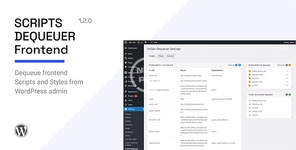
Scripts Dequeuer helps you dequeue WordPress frontend scripts and styles without touching any code. You just need to select scripts and styles from backend and they will be dequeued instantly.
Usage scenarioIf you are running a WordPress website with good amount of traffic and expect decent revenue from it, you would be already aware about importance of site speed and performance optimization. A fast loading site can improve traffic and engage more users for you. While optimization can be done in many ways like, using caching plugins, optimized images, using CDN, etc., there are some situations which need a completely different approach.
For example, consider a case in which two different plugins use same CSS files (say, fontawesome CSS) and load them individually. Or consider a case in which two plugins are loading same JavaScript file, say, jQuery validate or jQuery Masonry individually. While WordPress takes very good care of preventing redundant enqueue by checking for same script handle names, such situation may still arise if the script handle names are different.
In such cases, the only direct solution is to dequeue/deactivate one of those redundant scripts for optimizing performance. While this can be done directly by adding some code in theme’s functions.php file, one would definitely like to have a user friendly way in which he/she can deactivate scripts without having to fiddle with the code. Scripts Dequeuer is developed to provide you such feature which lets you dequeue scripts and stylesheets in user friendly manner. The plugin is fast, light weighted, and is worth installing for such nifty feature.
If front end scripts and styles are enqueued using native WordPress hooks (wp_enqueue_scripts, wp_print_scripts, wp_print_styles, etc.), Scripts Dequeuer can detect all such scripts/stylesheets and list them inside WordPress admin area. There you can select scripts/stylesheets and add them for dequeue. Upon saving changes, selected scripts and stylesheets are dequeued and listed separately.


