
![[SC] YouTube Channel in SideBar](/data/resource_icons/16/16626.jpg?1720149323)
- XF Compatibility
- 2.2.x
- Short Description
- Install SyTryC YouTube Channel addon via AdminCP, then copy its directory from src/addons/SyTryC/YouTubeChannel to your server.

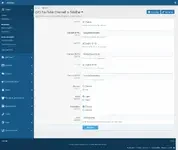
- Download and unzip it.
- Copy the src/addons/SyTryC/YouTubeChannel directory to your server.
- From the AdminCP install the add-on.

![[DohTheme] Gamez](/data/resource_icons/27/27202.jpg?1770062290)

![[cXF] Sidebar for Media](/data/resource_icons/1/1077.jpg?1739526399)
![[cXF] Sidebar Widget Positions](/data/resource_icons/1/1201.jpg?1720149240)
![[CinVin] Lazy Load YouTube Videos](/data/resource_icons/4/4242.jpg?1720149256)