

- Short Description
- PublishPress Blocks offers advanced WordPress block editor features for professional websites. With 24 layout options and a powerful Content Display block, it enhances your website's design and functionality. Customize layouts for desktop, tablet, and mobile devices with ease. Get the Countdown Block for added flexibility. Enhance your site today with PublishPress Blocks.
The Gutenberg editor is good.
And with PublishPress Blocks, it’s great!
PublishPress Blocks has everything you need to build professional websites with WordPress. The blocks include 24 layout options, sliders, buttons, icons, image galleries, maps, tabs, testimonials, accordions, and much more.
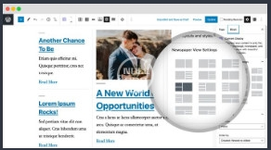
PublishPress Blocks features the best content block in WordPress. You can use the “Content Display” block to create blog layouts, lists of posts by a specific author, or even complete newspaper frontpages.
The main features of PublishPress Blocks
PublishPress Blocks include Content Display, a powerful block to show posts, pages and custom post types in many beautiful layouts. You have dozens of settings to customize your content plus filters by author, category or tag, and more.PublishPress Blocks allows you to enable or disable blocks for some users. For example, you can disable the “Classic” block if you don’t want users to rely on the old WordPress editor.
PublishPress Blocks allows you to create flexible and beautiful layouts. You get 24 layouts options with different options for desktop, tablet and mobile devices.
PublishPress Blocks allows you to create flexible and beautiful layouts. You get 24 layouts options with different options for desktop, tablet and mobile devices.
Easily create a customizable countdown block with a lot of settings, including date and time layout, font size, separaror, custom labels, image, title, date format, description, button, colors and more.
... etc
(Please Watch Full Description By Yourself)
Nulled Method:
Content of this hidden block can only be seen by members of: Bronze Member


