

- PrestaShop Compatibility
- 8.x
- 9.x
- Short Description
- Automate PrestaShop product and category management with our module, saving time and effort. Import/export in CSV/XLSX/JSON/XML formats, sync supplier feeds, migrate catalogs, update prices & stock, and back up data—all from your admin panel. No coding required.
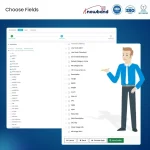
Bulk import and export PrestaShop products and categories in CSV, XLSX, JSON, and XML with reusable profiles, local, FTP/SFTP push, cron scheduling, and multilingual support. No coding needed.
Managing a PrestaShop catalog manually is one of the biggest time drains for store owners. You export a file, edit it in a spreadsheet, re-upload it, remap the columns, and repeat the entire process from scratch the next time. If your store has hundreds or thousands of products, this becomes unsustainable.
The Product Import Export Scheduler Pro is a complete PrestaShop Catalogue Migration developed to eliminate that cycle. It allows you to migrate the data by import and export PrestaShop products and categories in CSV, XLSX, JSON, and XML formats, with reusable profiles, automated scheduling via cron, FTP/SFTP file transfer all from inside your PrestaShop admin panel without any coding or developer involvement.
Whether you are updating prices weekly, syncing a supplier feed daily, or migrating your entire catalog from PrestaShop 1.7 to 8.x or 8.x to 9.x, this module handles it as a clean, repeatable workflow. Every configuration you set is saved as a named profile. Run it with one click or put it on a schedule and let it run automatically.
Supplier Feed Sync Point: A cron-enabled import profile at a supplier's SFTP. This PrestaShop catalogue migration module pulls the file, updates your catalogue, sends a summary email, and deletes the local copy on whatever schedule you set.
Store-to-Store Migration: Export the full catalogue from one PrestaShop instance and import it into another. Combinations, translations, and categories carry across. No developer needed, no manual re-entry.
Recurring Price or Stock Updates: Export the catalogue, edit prices or stock in Excel or your ERP, and import it back. The whole cycle runs in minutes with a saved profile instead of half a workday.
Catalogue Backup: A daily export profile pushing timestamped files to FTP gives you a dated backup history automatically. Files never overwrite each other.


