

- Short Description
- Offixe Furniture is an elegant Elementor Template Kit for modern office furnishing designs. Ideal for innovative companies in architecture, interior design, or personal portfolios needing a stylish yet unique appearance. Optimized for free Hello Elementor theme; features true no-code customization and fast-loading speed. Requires Elementor, ElementsKit Lite, MetForm plugins. Easy installation via "Envato Elements" plugin with simple import process.
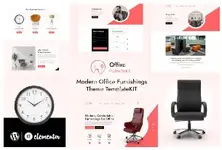
Offixe Furniture is an elegant and responsive Elementor Template Kit design specially designed for modern office furnishing. The template is highly suitable for companies that work for innovative ideas in stylish office designs. It is ideal for businesses involved in architecture, interior design, building, furniture, or even just personal websites that need to display portfolios with an eye-catching and unique appearance. This kit has been optimized for use with the free Hello Elementor theme.
This is not a WordPress theme. Template Kits contain page content for Elementor page builder. This kit has been optimized for use with the free Hello Elementor theme but may be used with most themes that support Elementor.
** Features**
- True no-code customization with drag and drop visual builder
- Customize fonts and colors in one place or fine-tune on individual elements
- Modern, professional design
- Fast-loading
- Works with most Elementor themes.
- Elementor
- ElementsKit Lite
- MetForm
- Install and Activate the "Envato Elements" plugin from Plugins > Add New in WordPress
- Download your kit file and Do not unzip
- Go to Elements > Installed Kits and click the Upload Template Kit button. You may also import automatically by clicking Connect Account to link your Elements subscription, then import under Elements > Template Kits.
- Check for the orange banner at the top and click Install Requirements to load any plugins the kit uses
- Click import on the Global Kit Styles first
- Click Import on one template at a time. These are stored in Elementor under Templates > Saved Templates.
- Go to Pages and create a new page and click Edit with Elementor
- Click the gear icon at lower-left of the builder to view page settings and choose Elementor Full Width and hide page title
- Click the gray folder icon to access My Templates tab and then Import the page you'd like to customize.


