

- Short Description
- Furneta is a WooCommerce & Elementor template kit for creating professional furniture shop websites. With 12+ pre-built templates, it's perfect for any furniture-related business or service. Responsive design ensures optimal mobile experience. Includes all required plugins and features. Download Furneta today to start your project.
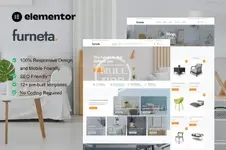
Furneta is WooCommerce elementor template kit for furniture shop. It has 12+ pre-built templates with cool design and modern style. You can easily make cool furniture shop website with this Elementor template kit. This layout also suitable for any businesses or services related to furniture stores, furniture marketplace, home decor, interior design, and any related business. Even you can use it for blogging while selling any furniture products using Woocommerce.
Layout Features :
- Modern and Professional design
- Built with Elementor Pro + Woocommerce
- 100% Responsive & mobile-friendly
- 12 pre-built templates
- Easy to customize
- Template kit built with Elementor Hello Theme
- ElementsKit Lite
- Image Hover Effects
- PowerPack Lite for Elementor
What’s Included in the Zip :
- Homepage
- About Us
- Contact Us
- FAQ
- Archive Blog
- Archive Shop
- Cart Page
- Checkout Page
- Error 404
- Login Popup
- My Account
- Single Post
- Single Product
- Login Page
- Team
- Global Style
- Header
- Footer
- Install and Activate the "Envato Elements" plugin from Plugins > Add New in WordPress
- Download your kit file and Do not unzip
- Go to Elements > Installed Kits and click the Upload Template Kit button. You may also import automatically by clicking Connect Account to link your Elements subscription, then import under Elements > Template Kits.
- Check for the orange banner at the top and click Install Requirements to load any plugins the kit uses
- Click import on the Global Kit Styles first
- Click Import on one template at a time. These are stored in Elementor under Templates > Saved Templates.
- Go to Pages and create a new page and click Edit with Elementor
- Click the gear icon at lower-left of the builder to view page settings and choose Elementor Full Width and hide page title
- Click the gray folder icon to access My Templates tab and then Import the page you'd like to customize.


