- Short Description
- Speed up your WordPress site by deactivating plugins on specific pages with "Deactivate Plugins Per Page". Choose from various activation rules to optimize performance.
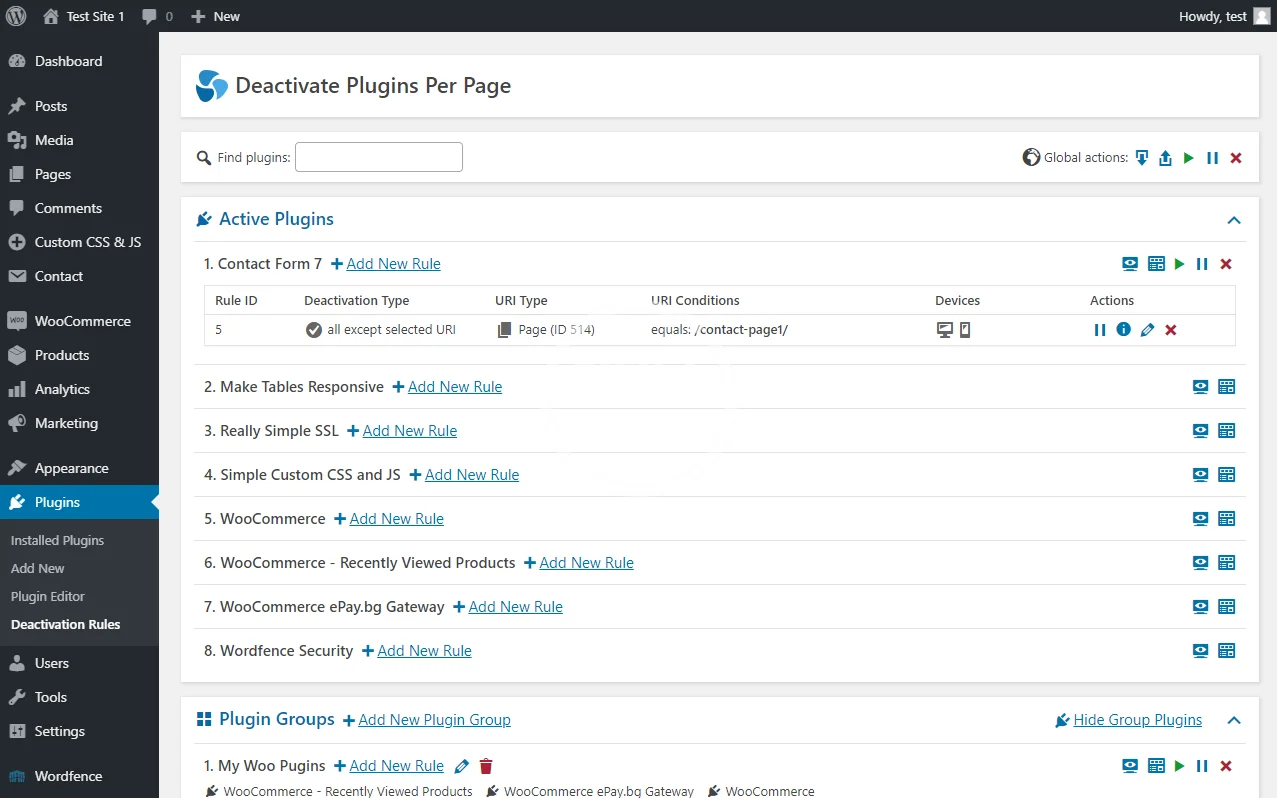
With “Deactivate Plugins Per Page” you can easily disable plugins on certain WordPress pages (or on all except a selected page).
This is useful for speeding up your site mainly because many front-end plugins will load their JavaScript and CSS assets on every page, even if you use them on one page.
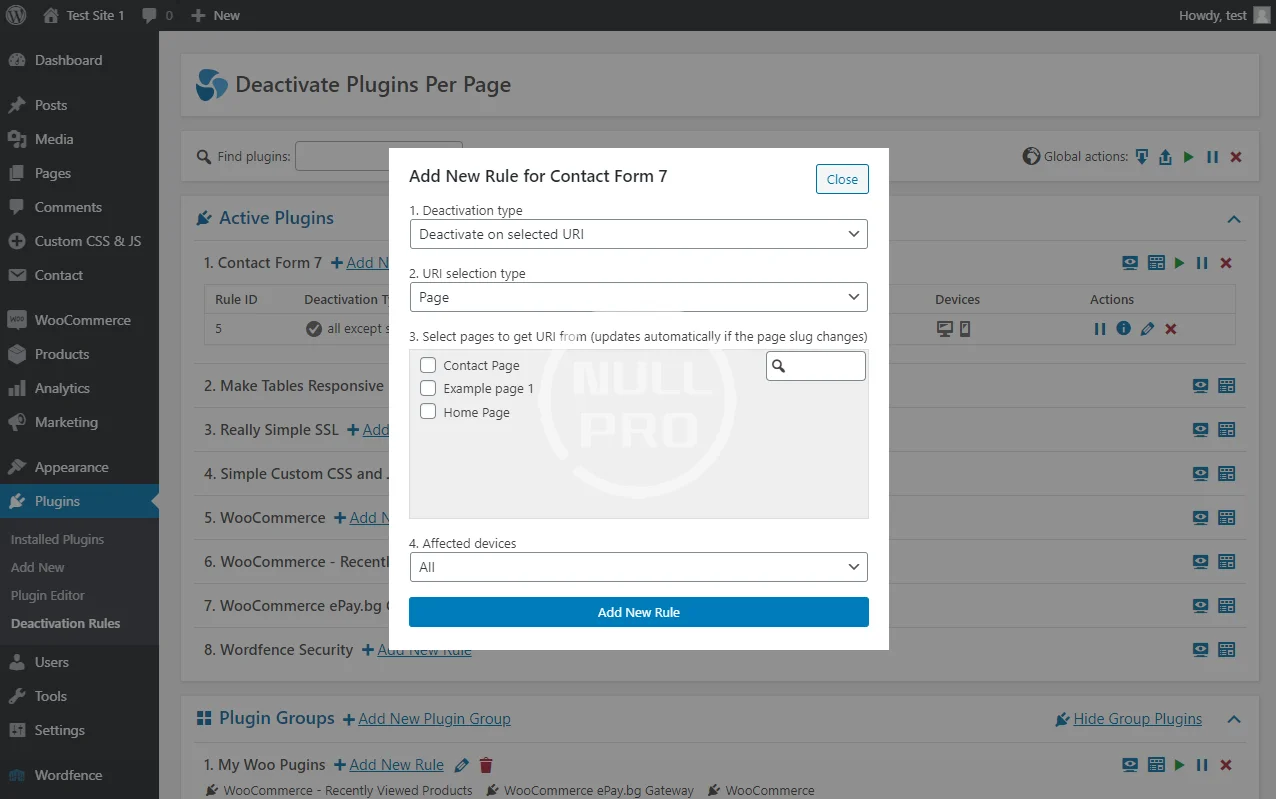
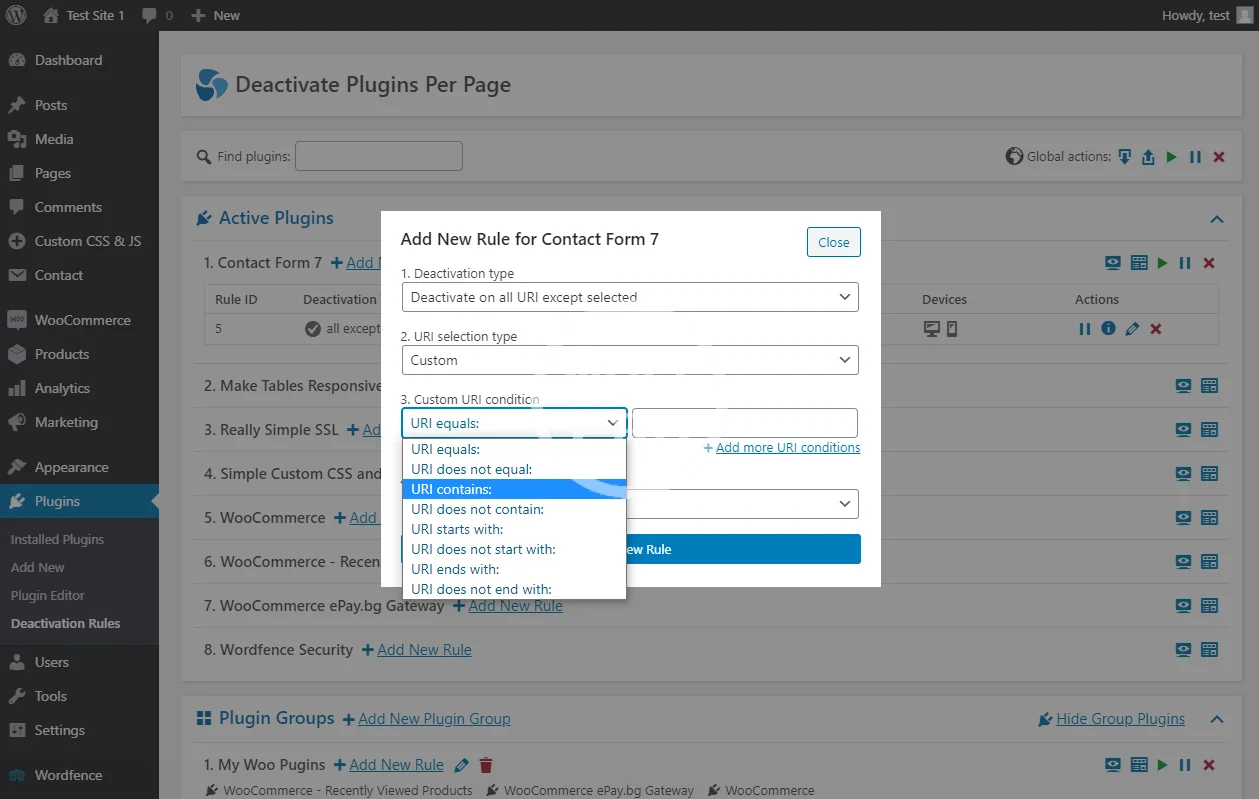
1. Deactivation Type
- Deactivate on selected URI
- Deactivate on all URI except selected
2. URI selection type
- Page
- Custom
3. [Page] Select pages to extract URI from (it will update automatically if the page slug changes)
3. [Custom] Custom URI condition
- URI equals …
- URI does not equal …
- URI contains …
- URI does not contain …
- URI starts with …
- URI does not start with …
- URI ends with …
- URI does not end with …
This is useful for speeding up your site mainly because many front-end plugins will load their JavaScript and CSS assets on every page, even if you use them on one page.
1. Deactivation Type
- Deactivate on selected URI
- Deactivate on all URI except selected
2. URI selection type
- Page
- Custom
3. [Page] Select pages to extract URI from (it will update automatically if the page slug changes)
3. [Custom] Custom URI condition
- URI equals …
- URI does not equal …
- URI contains …
- URI does not contain …
- URI starts with …
- URI does not start with …
- URI ends with …
- URI does not end with …