
![[AndyB] Countdown](/data/resource_icons/0/776.jpg?1720149240)
- XF Compatibility
- 2.2.x
- Short Description
- Professional Countdown Widget for Websites - Easily add, customize & manage multiple countdowns. Compatible with Admin Control Panel. Setup: Install, select widget, set positions. Questions answered.
Displays a Countdown widget.
Features:
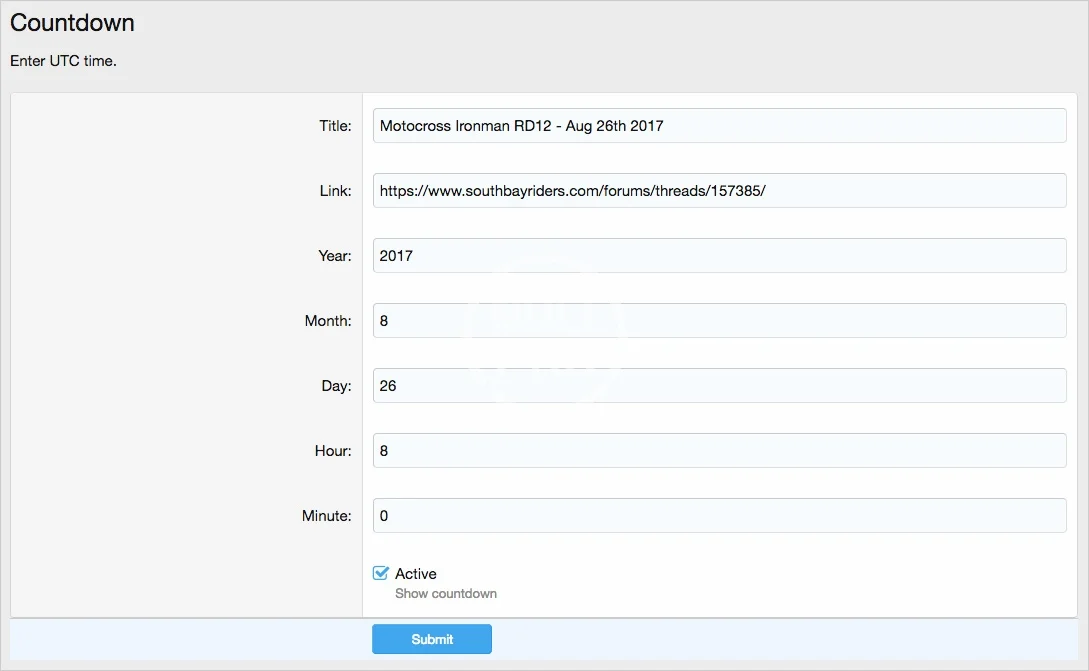
In the Administrative User group permissions, set Yes for the Admin permission.
Questions and Answers:
Q: Can I have more than one countdown at a time?
A: No.
Q: Is the countdown shown for the visitors timezone?
A: No. The countdown is shown in UTC.
Features:
- All phrases start with countdown_ for your convenience.
- Download Andy-Countdown-1.6.zip and unzip it.
- Copy the src/addons/Andy/Countdown directory to your server.
- From the Admin Control Panel Install the add-on.
- From the Admin Control Panel select the Widgets under the Appearance tab.
- Click the Add widgets button.
- Select the Countdown widget.
- Widget key = countdown
- Title = (leave blank)
- Display in positions = Forum list: Sidebar
- Click Save.
In the Administrative User group permissions, set Yes for the Admin permission.
Questions and Answers:
Q: Can I have more than one countdown at a time?
A: No.
Q: Is the countdown shown for the visitors timezone?
A: No. The countdown is shown in UTC.


![[AndyB] Countdown timer](/data/resource_icons/20/20787.jpg?1720149340)
![[AndyB] Advertising responsive](/data/resource_icons/7/7380.jpg?1720149273)
![[AndyB] Cube](/data/resource_icons/11/11639.jpg?1720149296)