

- XF 兼容性
- 2.2.x
- 摘要
- Enhance your question thread posts with simple template edits for better visibility. Add "vote" and "mark as solution" prompts, adjust opacity for thumbs up/down icons, and customize styling using extra.less for a seamless user experience.
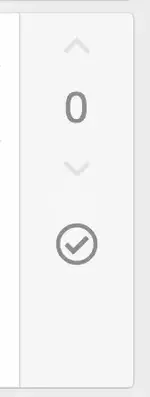
Users often don't realise that question thread posts can by voted on, or that OP can mark as solution.
These simple template edits make it more obvious.
Instead of:
It will be this:
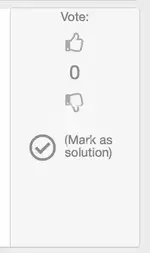
In the template app_content_vote.less:
- Search for @xf-fontSizeLargest and replace with @xf-fontSizeLarge
- Search for .m-faBefore(@fa-var-angle-up); and replace with .m-faBefore(@fa-var-thumbs-up);
- Search for .m-faBefore(@fa-var-angle-down); and replace with .m-faBefore(@fa-var-thumbs-down);
- Search for opacity: 0.2; and change to something like opacity: 0.7;
Text prompts: in the template post_question_macros:
(1) Search for <div class="message-column"> and replace with
代码:
<div class="message-column">
<xf:comment>add the word "vote"</xf:comment><span style="color:gray;text-align:center;font-size:11px">Vote:</span>(2) Search for <span class="u-srOnly">{{ $post.is_question_solution ? $isSolutionText : $makeSolutionText }}</span>and replace with
Code:
代码:
<span class="u-srOnly">{{ $post.is_question_solution ? $isSolutionText : $makeSolutionText }}</span>
                            <xf:comment>add the phrase mark as solution </xf:comment>
                           <span style="color:gray;text-align:center;font-size:11px">({{ $post.is_question_solution ? $isSolutionText : $makeSolutionText}})</span>
NB: if you unmark as solution, the text does not actually change until you refresh the page.
For more dynamic control of styling use a class and define in extra.less
NB:be careful not to erase the closing </a> or you will be sorry.


