

- Совместимость с XF
- 2.2.x
- Краткое описание
- Embed a native-looking Google Calendar plugin for seamless event management directly within your XenForo forum without iframes. Manage events using Google's intuitive interface and control permissions to share them publicly or privately. Perfect for admins to manage staff calendars or public organization events. Setup includes installing the plugin, setting view permissions, configuring Google Calendar settings, creating an API key, and sharing with members.

This plugin allows you to embed a native looking calendar page on your forum that is linked and controlled by a Google Calendar, without having to resort to using a shoddy looking iframe embed.
Use the Google Calendar interface to create events and mange events, but display them for whoever has the appropriate permissions on your forum.
It could be an admin only calendar, for sharing events with staff, or it could be a public calendar to share events that are wholly controlled by an admin or anyone in the organisation with permissions to control to Google calendar.
Screenshots:
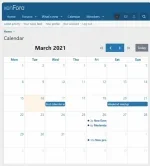
Features tooltip on event hover with event title and description:
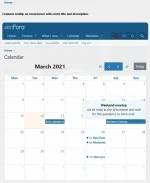
How do I use it?
1. Install the plugin.
2. Set the appropriate view permissions.
3. Ensure the Google Calendar you want to share is public in the calendar Settings and Sharing menu on calendar.google.com, or create one that is.
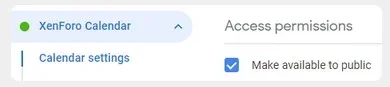
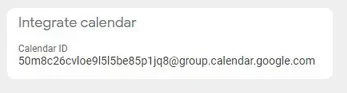
4. Copy the Calendar ID and paste it into the plugin settings in your XenForo ACP at
/admin.php?options/groups/shinyTechGoogleCalendar/
5. Next create an API key from Google Cloud Platform
- You'll need to create a new project.
- Then enable the Google Calendar API
- Then create an API key.
- You will want to restrict this to just the calendar API, and you could also restrict by the domain you'll be using it on too.
Paste this API key into your XenForo ACP in the options.
6. Start adding events and share your calendar with your members !
Video Preview:
A browser window with Google Calendar is open on the left, with the XF site on the right.


![[021] XenForo Messenger](/data/resource_icons/18/18686.jpg?1720149329)

![[AndyB] Birthday calendar](/data/resource_icons/19/19799.jpg?1720149334)