
![[Xen-Soluce] Staff Conversation](/data/resource_icons/21/21885.jpg?1726343369)
- XF Compatibility
- 2.2.x
- 2.3.x
- Short Description
- Enhance user engagement with our staff conversation add-on, allowing seamless invitation of staff members. Features include style options like highlight, important notice, success, warning, and error notifications. No branding included; download and install via AdminCP.
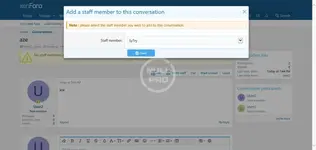
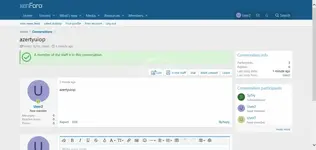
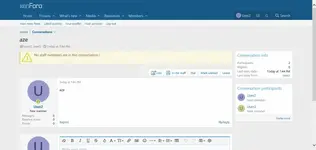
This add-on allow your users to invite a staff member into a conversation.
Feature summary :
Options :
Invite staff
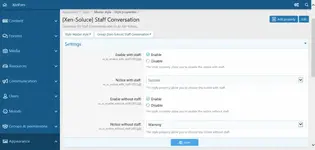
Style properties :
Enable with staff
Enable
Disable
Notice with staff :
Highligth
Important
Success
Warning
Error
Branding :
This add-on does not include branding.
Installation :
Download and unzip it.
Copy the src/addons/XenSoluce/StaffConversation directory to your server.
From the AdminCP install the add-on.
Feature summary :
Options :
Invite staff
Style properties :
Enable with staff
Enable
Disable
Notice with staff :
Highligth
Important
Success
Warning
Error
Branding :
This add-on does not include branding.
Installation :
Download and unzip it.
Copy the src/addons/XenSoluce/StaffConversation directory to your server.
From the AdminCP install the add-on.


![[OzzModz] Staff Reply To Locked Conversations](/data/resource_icons/0/129.jpg?1720149240)
![[Xen-Soluce] Advanced Statistics Lite](/data/resource_icons/1/1158.jpg?1720149240)
![[OzzModz] Start Conversations With Staff Only](/data/resource_icons/4/4514.jpg?1720149262)