System Version in Footer

System Version in Footer 2.0.2

No permission to download
Short Description
Invision Community System Version in Footer plugin: Displays community version in footer, customizable for member groups. Enhances visibility, maintains consistency. Compatible with Invision Community.
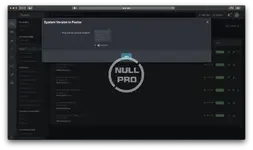
The System Version in Footer plugin displays the Invision Community version in the copyright located at the bottom of public area of your community. There is an option to show the version only for specific member groups.
1305365202_2020-09-2502_09_05.png.55885497a52c265f5e7e3709cc845e2a.webp
Author
axtona
Views
375
Extension type
zip
File size
1.8 KB
First release
Last update
Ratings 0.00 star(s) 0 ratings
Link was Broken? Send message to the Website Team and we will assist you quickly!
Support Developer If you are satisfied with the test or your project has earned you money, Click the More Information button to support the developer by purchasing.

More resources from axtona

Signup abuse detection and blocking A
For multiple account detection, supports reporting to reports/threads.
Cool Timeline Pro - WordPress Timeline Plugin A
an advanced WordPress timeline plugin that showcases your life history timeline
Data Tables A
Data Tables 1.4.6
create stand-alone, fully customizable data tables within XenForo

Similar resources

(aXen) Article System in Pages H
The modification allows you to change the appearance and add many functionalities to manage records.
(DP45) Referrals System A
With this app you can allow your members invite other members.
(TB) Delete All System Logs Button T
adds a (much needed) "Delete All Logs" button in the System Logs area to easily delete all logs.
Top