- Short Description
- allow you to add custom fields to the checkout page.
Prestashop Custom Fields & Checkout Fields allow you to add custom fields to the checkout page. Using custom fields, you can add extra fields to any checkout step. They support attachments, drop-downs, conditional logic, and seven other types of fields.
What this Prestashop Custom Fields Module does for you?
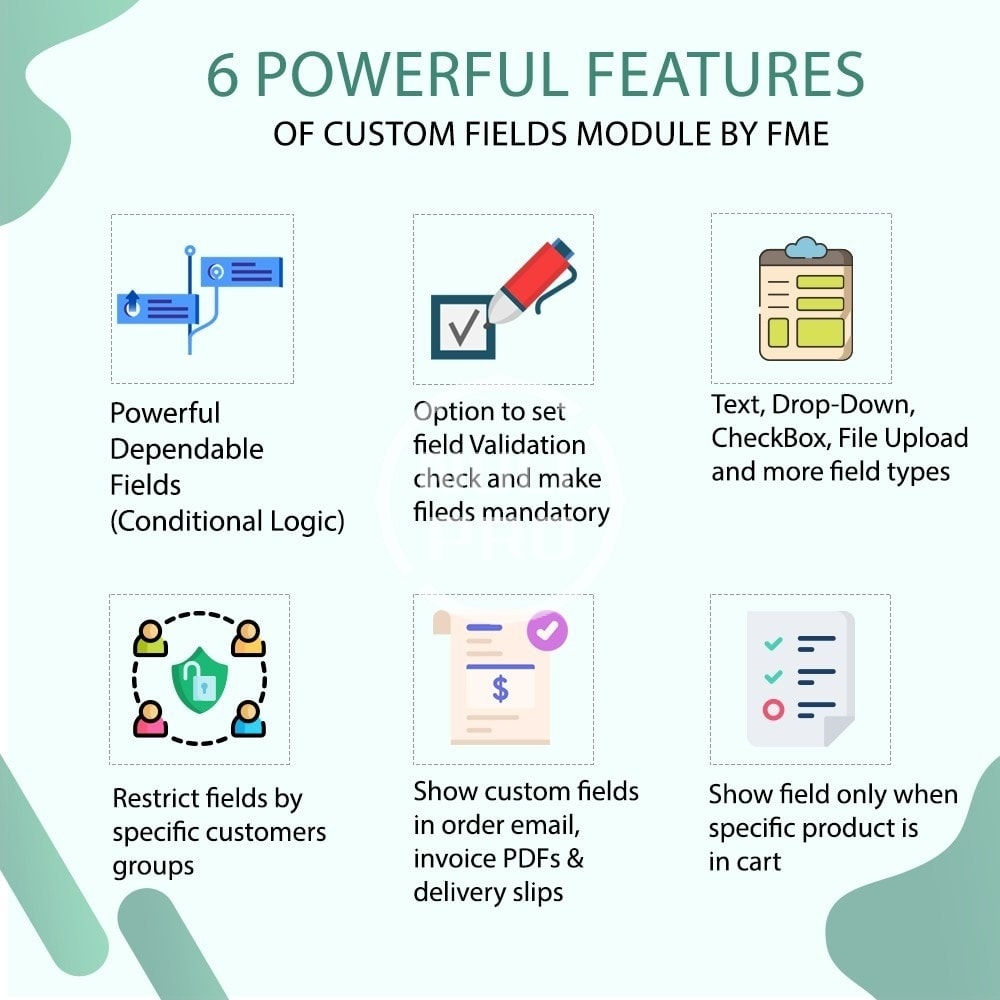
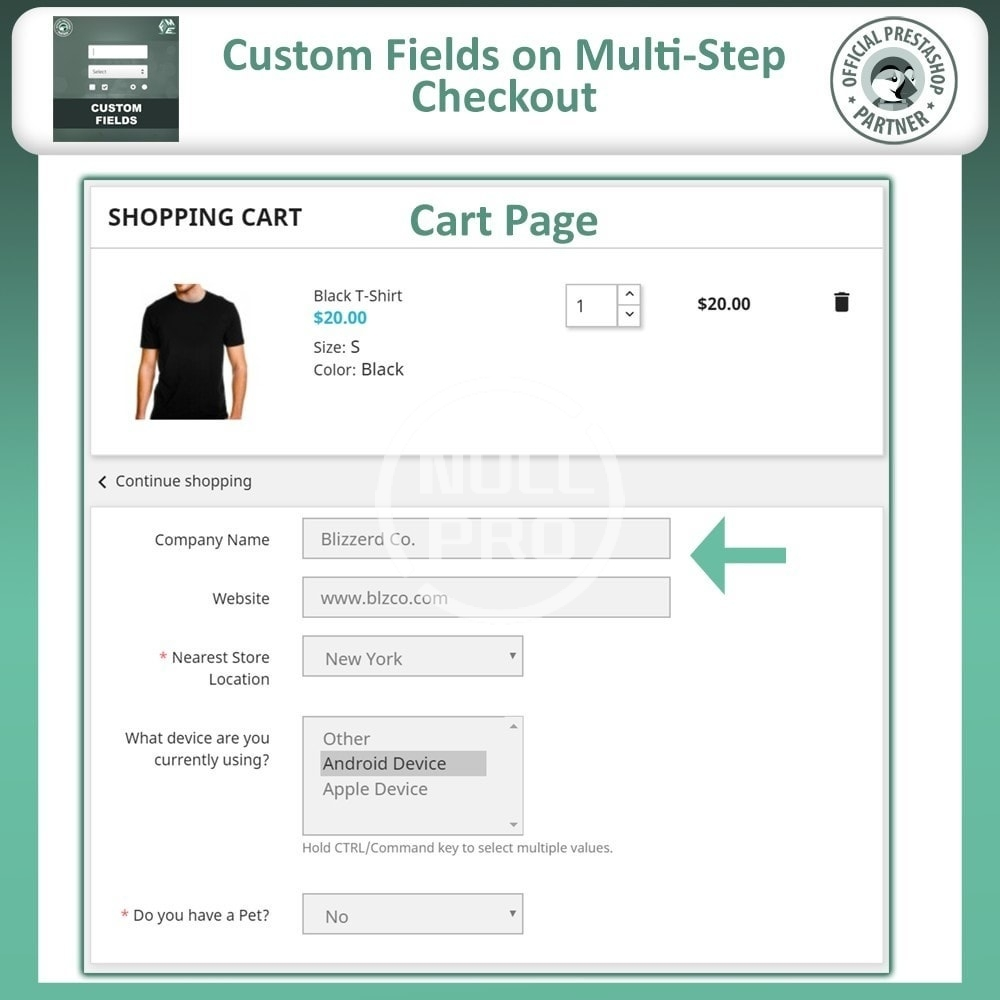
Add unlimited custom fields and position them anywhere on any checkout step
Create conditional/dependent fields
Show checkout fields only when specific product(s) is added to the cart
Restrict field by customer groups
Option to show field in order email, invoice PDFs, and delivery slips
Show fields in admin order detail page and order grid
Enable field validation and make fields optional or mandatory
Multilingual and multistore supported
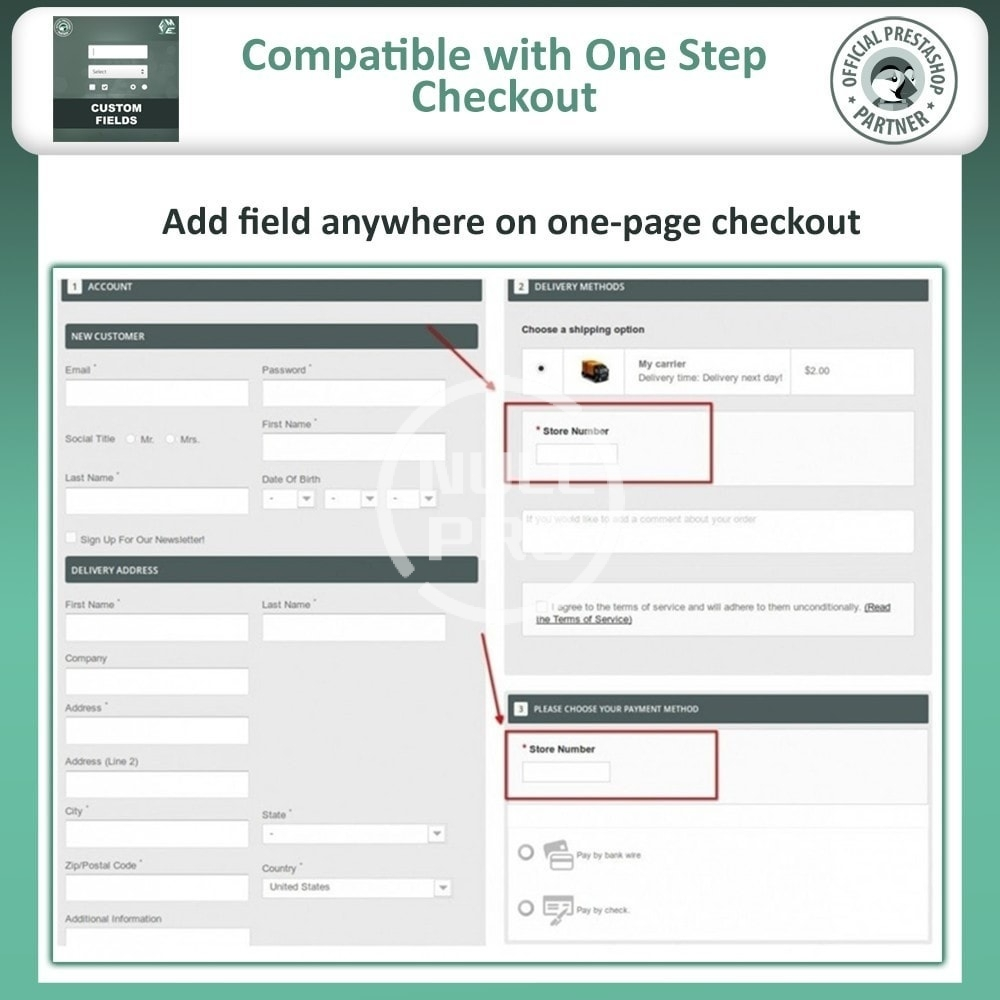
Works well with One Page Checkout
GDPR compliant
Only Show Fields When Required: Assign fields to specific products and categories. Thus, the fields will be displayed only when a specific product(s) is added to the cart. By using the conditional fields option, you can display the field only when the customer selects a specific option.
What this PrestaShop checkout fields extension has to offer?
Learning from customers means a lot for the survival of your business. You must always adapt to the changing behaviors of the customers. Fashion trends can strike a ruthless blow to a business's revenues. With PrestaShop checkout manager by FME, you can not only find the changing graphs of customer needs but also display important messages. You can also include delivery time options as well.
Area of Function: Obtaining additional information from the customers is always for your benefit. The primary purpose of adding fields to checkout pages is to understand the trends and behaviors of the customers for creating customer personas. Customer personas help predict the behaviors and their conduct to present better sales pitch and display the exact product they need. This PrestaShop order attributes plugin also gives you the opportunity to improve your services, marketing strategies, and product quality.
What this Prestashop Custom Fields Module does for you?
Add unlimited custom fields and position them anywhere on any checkout step
Create conditional/dependent fields
Show checkout fields only when specific product(s) is added to the cart
Restrict field by customer groups
Option to show field in order email, invoice PDFs, and delivery slips
Show fields in admin order detail page and order grid
Enable field validation and make fields optional or mandatory
Multilingual and multistore supported
Works well with One Page Checkout
GDPR compliant
Only Show Fields When Required: Assign fields to specific products and categories. Thus, the fields will be displayed only when a specific product(s) is added to the cart. By using the conditional fields option, you can display the field only when the customer selects a specific option.
What this PrestaShop checkout fields extension has to offer?
Learning from customers means a lot for the survival of your business. You must always adapt to the changing behaviors of the customers. Fashion trends can strike a ruthless blow to a business's revenues. With PrestaShop checkout manager by FME, you can not only find the changing graphs of customer needs but also display important messages. You can also include delivery time options as well.
Area of Function: Obtaining additional information from the customers is always for your benefit. The primary purpose of adding fields to checkout pages is to understand the trends and behaviors of the customers for creating customer personas. Customer personas help predict the behaviors and their conduct to present better sales pitch and display the exact product they need. This PrestaShop order attributes plugin also gives you the opportunity to improve your services, marketing strategies, and product quality.