
![[OzzModz] Easy Google Fonts](/data/resource_icons/11/11436.jpg?1720149296)
- XF Compatibility
- 2.2.x
- Short Description
- Add Google Fonts to your theme effortlessly with our addon. Paste embed codes directly into Style Properties for clean, hassle-free typography updates.
This small handy addon allows you to easily add Google Font embed codes directly to your theme using a single Style Property, instead of using messy template edits.
How to use
1. Visit the Google Fonts website and select your fonts & weights
2. Copy the <link> embed codes supplied on the page
3. Paste these codes into the Font Scripts field on the Style Properties -> Typography page for your style.
4. Add the name of your Google font to the body font family on the Style Properties -> Typography page.
Selecting fonts
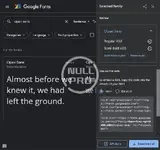
Embedding fonts

FAQ
Q. Where can I find the settings for this addon?
A: You can find the field for pasting font codes in Style Properties -> Typography
Q. How do I paste the codes? Where do I get it from?
A: You should always paste the code as supplied directly on the Google Fonts website after selecting your fonts. See the above screenshot for example. Google supplies this code in three lines - you should copy and paste all three lines, similar to this:
How to use
1. Visit the Google Fonts website and select your fonts & weights
2. Copy the <link> embed codes supplied on the page
3. Paste these codes into the Font Scripts field on the Style Properties -> Typography page for your style.
4. Add the name of your Google font to the body font family on the Style Properties -> Typography page.
Selecting fonts
Embedding fonts
FAQ
Q. Where can I find the settings for this addon?
A: You can find the field for pasting font codes in Style Properties -> Typography
Q. How do I paste the codes? Where do I get it from?
A: You should always paste the code as supplied directly on the Google Fonts website after selecting your fonts. See the above screenshot for example. Google supplies this code in three lines - you should copy and paste all three lines, similar to this:
HTML:
<link rel="preconnect" href="https://fonts.googleapis.com">
<link rel="preconnect" href="https://fonts.gstatic.com" crossorigin>
<link href="https://fonts.googleapis.com/css2?family=Open+Sans:wght@400;600&display=swap" rel="stylesheet">


![[OzzModz] GA-Lite (Google Analytics Lite)](/data/resource_icons/4/4180.jpg?1720149256)
![[OzzModz] Google Search](/data/resource_icons/3/3942.jpg?1734853557)
![[OzzModz] User Location Google Map](/data/resource_icons/11/11084.jpg?1720149290)