

- PrestaShop Compatibility
- 1.7.x
- 8.x
- Short Description
- Easily organize and manage items with an intuitive drag-and-drop interface. Compatible with any custom theme. Features include nested tabs, right-aligned menus, floating submenus, vertical/horizontal styles, mobile responsiveness, customizable content categories, and integrated Google Fonts. Enhance your website's design with our optimized Mega Menu module.
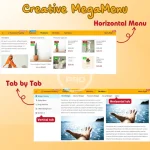
Easily organize and manage items through an intuitive drag-and-drop interface.
Compatible with any custom theme. Multiple configurations to help you create your own style menu.
1. Easily create your own designs
Like Createelementor, we have integrated the best design options including color options, spacing for the menu and for each widget. The purpose is for you to easily create eye-catching mega menus for your website.
Incorporate effects when opening sub-menus such as "slide down", "fade in" and "zoom in", etc.
2: New optimization features compared to other modules:
- Set up nested tabs: Create content as sub-tabs inside the parent tab
- Show any menu item on the right: When your menu items are left aligned. And to create highlights, you can set 1 or several menus on the right.
- Floating submenu type: allows you to create floating submenus (sidebar)
3. Vertical menu, horizontal menu
Creative Mega Menu allows you to create a variety of vertical or horizontal menu styles or combine both types of menus into one menu for your website.
4. Intuitive drag and drop in the backend
Using drag and drop technology helps you directly see what has changed without having to reload the website. Helps you save time and complete your menu creation ideas faster.
5. Responsive Professional mobile menu and compatible with all other custom websites.
After a period of research, most menu modules will have compatibility issues on mobile when replacing the old menu of the website.
We have completed and added customizations so that you can display the menu on mobile more easily. Especially with custom theme packages.
In addition, the effects / interface when opening the menu with the style of "dropdown", "floating - dropdown submenu", "floating - slide to the left" will definitely bring you great experiences.
6. Easy to customize and manage
Clear arrangement of functions, reasonable customizations, helping you edit configurations more easily.
Pre-made content with many different categories (such as images, banners, custom html, videos, custom links, buttons, products, categories, brands, manufacture ...), helping to meet different data display requirements for you.
Integrated google fonts, allowing you to choose the most suitable font.
Custom Classes help increase your customization capabilities.
Bubble tags attached to menu items, help emphasize and attract more attention to your special items.
Along with many interesting new features that we have optimized, combined from customer opinions over the years. With the aim of creating a perfect menu, meeting the most demanding designs for your website.


