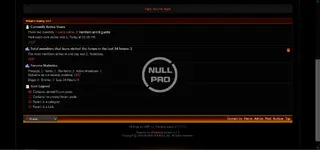
Black & Orange Style vb

Black & Orange Style vb 4.2.x

No permission to download
Short Description
Install INSTRUCTIONS quickly by extracting ZIP, uploading skin folder via FTP to forum/images/, log into admincp, choose Styles & Templates -> Download/Upload Styles, import vbulletin-style.xml for seamless integration.

Black Orange style vBull 4.2 (1).webp


Black Orange style vBull 4.2 (2).webp

INSTRUCTIONS ON INSTALLATION::

1. Extract ZIP folder.There will be Upload foler, PSD folder and readme.txt
2. In the Upload folder, there is a skin folder, please upload the skin folder using FTP into your forum images/ directory
(eg for Achik , upload the Achik folder into your vBulletin 4.0.x forum /images folder.

*******************************************
3. Log into your vBulletin admincp.
4. Choose Styles & Templates -> Download/Upload Styles
5. Under Import Style XML File, click on "Browse..."
6. Find the Upload folder (from the ZIP you downloaded-extracted). Select the vbulletin-style.xml.
7. Click Import
Author
theresa
Views
433
Extension type
zip
File size
1.6 MB
First release
Last update
Ratings 0.00 star(s) 0 ratings
Link was Broken? Send message to the Website Team and we will assist you quickly!
Support Developer If you are satisfied with the test or your project has earned you money, Click the More Information button to support the developer by purchasing.

More resources from theresa

FileBird - WordPress Media Library Folders T
born to help you take your WordPress media library to the next level
Bit Integrations Pro T
Bit Integrations Pro 2.7.4 Nulled
This plugin Connects WordPress Plugins and external applications seamlessly.
Easy Calendar T
A simple but powerful extension for Joomla to show the availability of anything.

Similar resources

Blackjack - Members Shop Add-On H
a members shop add on what allows your members to gamble their hard earned points playing Blackjack
FiveStyle T
IPS FiveStyle V1.0.5
FiveStyle theme was created for roleplay FiveM communities
Top