

- PrestaShop Compatibility
- 1.7.x
- 8.x
- Short Description
- Customize your B2B store with advanced features for secure customer management and seamless user experience. Manage customer approvals, notifications, file uploads, and customize message boxes to guide visitors effectively without prices or add-to-cart options. Customize text colors, sizes, backgrounds, borders, and corner shapes in the module configuration. Live previews available for easy customization.
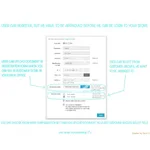
Change your store to private B2B space. Administrator can verify all new registered customers and allow or disallow them. All visitors and not approved customers will not see prices and add to cart buttons, but only your custom text instead.
Features
Other features
Options in module configuration:
- select if customer have to be approved by administrator before he can login to your store and see product prices
- send mail notification to selected employees automatically, after some customer fill registration form
- send mail notification to customer, who is approved by administrator about his access to your store
- select if customer can upload file from his computer in registration form
- you can choose label of upload file field in each language
- you can choose description of upload file field in each language
- you can choose if upload file will be required for customer and he will must to upload file
- you can choose extensions, which can be uploaded by upload file field in registration form
- you can choose maximal file size
- you can choose position of upload file field in registration form
- select if customers can choose from selected groups to which he wishes to be assigned in registration form
- you can select position of customers groups selection in registration form (at the top, at the bottom)
- you can choose if customer can select only one(radio buttons), or more(selects) customer groups to which he wishes to be assigned
- you can select which customers group will customer see in registration form
- you can customize and display your own message box with custom text, placed instead of product prices and add to cart buttons for visitors and not approved users
- you can customize separatelly message box for product detail and separatelly for products list
- in both message boxes you can:
- select if massage box will be displayed
- write you own custom message box text in each language, which you have in front-office
- write text of link to registration form in each language and placed this link everywhere to message box text
- select backgroud color of message box from color picker
- select text color of message box text from color picker
- select text size of message box text by slider
- select if you want borders on your message box
- select if you want rounded corners on your message box
- select one of offered positions to display message box in products list or product detail
- you can see live previews of customizated message boxes in you module configuration


