

- Descrição curta
- Builtapp Delivery Business Application, built on MEAN stack (MongoDB, Express, AngularJS, NodeJS), offers easy user management, socket integration, and flexible reports for efficient errand tracking. Manage company assets, generate PDFs, track statuses, and bill customers—all in one platform. Admin credentials: admin@example.com / password. Install via VPS with SSH access; follow installation guide for seamless deployment.
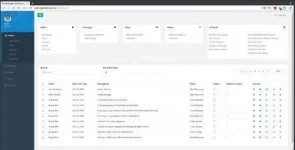
Download Builtapp Delivery Business Application Nulled Free CodeCanyon 18363649
The Builtapp Delivery Business Application is built on the MEAN stack (MongoDB, Express, AngularJS, NodeJS). It allows any business that dispatches items from their business to easily manage and track the errands as they go through the delivery process.
- Easy user management
- Socket integration for immediate updates across computers
- Blazingly fast. No unnecessary page reloads
- Company asset management (cars/bikes)
- Generate PDF documents directly (reports, invoices, receipts, delivery notes, run-sheets)
- Flexible periodic reports
- Allows for easy billing
- Expense tracker
- Errand status management
- Per-errand chat so that the whole team is on the same page
The Builtapp Delivery Business Application is built on the MEAN stack (MongoDB, Express, Angular, NodeJS).
As such, it requires a lot of custom package installation. It is best that you install it on a VPS with SSH access. DigitalOcean comes highly recommended. Use our link to get $10 free credit.
The project uses grunt to automatically build the final distribution code.
Once you have installed the required software listed below (including Grunt), run grunt build inside the project folder. This should build the project and create the dist folder. You can upload this dist folder to your server to deploy.
Copy the “dist” folder to your web accessible folder. e.g. /var/www on your server.
Change to this directory and run npm install . This will install all required packages.
To run the application run forever server/app.js from within your web accessible folder. This should start the application on port 8080. Visit http://localhost:8080 to view the application.
We are available to help with the setup process (at a small fee of course). Just mail us at appsupport [at] built-app.com and we’ll get back to you within a day.
- Node JS and NPM
- Mongo DB
- Web server (Nginx/Apache. Nginx recommended)
- Forever (For persistent application running on the server only)
- Grunt


